
|
Getting your Trinity Audio player ready...
|
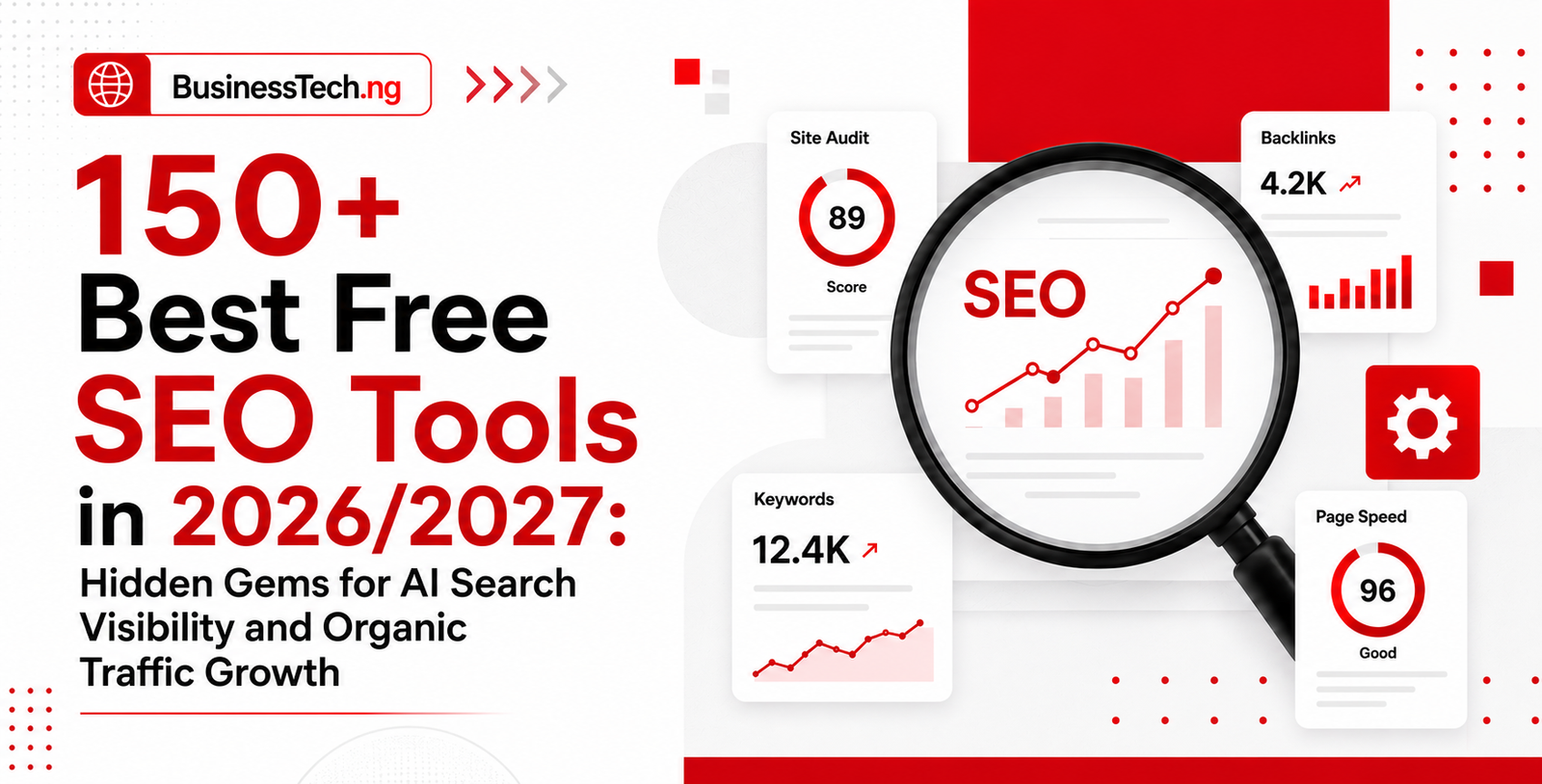
150+ Best Free SEO Tools in 2026/2027 Hidden Gems for AI Search Visibility and Organic Traffic Growth
Searching for the best free SEO tools in 2026/2027 to aid you site can make huge difference between struggling to get noticed online and building consistent visibility across Google Search, AI search engines, and other discovery platforms that can aid your massive visibility. This hands-on-guide brings together 150+ free SEO tools for keyword research, SEO analysis, content optimization, technical SEO, backlink analysis, competitor research, AI search visibility, and organic traffic growth, including lesser-known SEO tools and hidden gems that can help website owners, bloggers, publishers, marketers, business owners, IT/Tech, web developers and content creators improve their search performance without spending a fortune.
Most lists of free SEO tools repeat the same eight names all the time. Google Search Console, Ahrefs Webmaster Tools, Screaming Frog, and Google Trends show up everywhere, and while they deserve their reputation, they are not the whole story. Underneath that familiar shortlist sits a much larger set of free tools that rarely get mentioned, yet solve real problems every day for marketers, freelancers, and in-house teams who cannot justify a four-figure monthly software bill. This guide focuses on that second layer: the tools search professionals actually use once they move past the beginner stage, many of which never make it onto the generic “top 10” roundups that dominate page one.
Free does not mean weak in 2026. Search itself has changed shape, with AI Overviews, chat-based assistants, and zero-click answers pulling a growing share of attention away from the traditional ten blue links. That shift has pushed tool builders to release lightweight, genuinely free utilities that check structured data, test how a page reads to an AI crawler, audit Core Web Vitals, or surface long-tail questions people are typing into search bars right now. A lean stack built from these tools can cover keyword research, technical audits, content optimization, link analysis, and AI visibility tracking without a single subscription charge, provided you know where to look.
The challenge is rarely access. It is discovery. Search engines themselves are cluttered with affiliate roundups that recommend the same paid platforms dressed up as “free” trials, burying the tools that are free forever with no credit card required. The list below strips that noise away. Each tool has been grouped by the job it does, from keyword discovery to technical audits to AI search visibility, so you can build a toolkit that matches your workflow instead of hunting through fifteen browser tabs. Bookmark the sections that match your current priorities and treat the rest as a reference for when your strategy expands.
SEO has changed dramatically over the past decade. When BusinessTECH first published its roundup of free SEO tools in 2012, search marketers were working with a very different set of challenges and technologies. The topic was revisited in 2017, drawing on recommendations from Search Engine Watch readers and experienced SEO professionals who knew which tools were actually useful in day-to-day search work.
Today, however, the challenge is not simply finding an SEO tool. There are thousands of platforms, browser extensions, free dashboards and AI-powered solutions claiming to help websites rank higher on Google. The real question is which tools still deliver meaningful insights, which are genuinely free to use, and which are little more than limited trials designed to push users toward a paid subscription.
That is why this updated list takes a different approach. Instead of simply collecting as many SEO tools as possible, the goal is to highlight the free resources that can provide practical value for website owners, bloggers, marketers, publishers and SEO professionals. Whether you are researching keywords, checking your website for technical problems, analysing backlinks, improving local visibility or creating content, the right tool can save time and help you make better search decisions.
The tools featured below are organised around the most important areas of modern SEO, making it easier to find exactly what you need without wasting time sorting through dozens of irrelevant options. You can explore resources for keyword research, technical SEO, backlink and link analysis, local SEO, content optimisation, analytics, and visibility in AI-powered search.
For beginners, these tools can provide a practical starting point for learning how search engines evaluate websites. For experienced SEO professionals, they can serve as useful additions to an existing workflow without immediately adding another monthly software bill. The important thing is to understand what each tool can realistically do, where its free features end, and how its data can be used to support a broader SEO strategy.
Below, we have narrowed the field to the free SEO tools worth considering today, with each category focused on a specific search optimisation task. If you are looking for free SEO tools that can help you find better keywords, identify technical issues, improve content, monitor performance and strengthen your Google search visibility, this directory gives you a practical place to start.
The First Full List: 50+ Free SEO Tools Worth Knowing
| # | Tool | Category | What It Actually Does | Free Access Link |
|---|---|---|---|---|
| 1 | Google Search Console | Performance monitoring | First-party data on clicks, impressions, indexing, and Core Web Vitals | https://search.google.com/search-console |
| 2 | Bing Webmaster Tools | Performance monitoring | Mirrors GSC for Bing, plus a built-in keyword and backlink report | https://www.bing.com/webmasters |
| 3 | Google Search Console Insights | Content performance | Simplified content-level reporting for non-technical teams | https://search.google.com/search-console/insights |
| 4 | AnswerThePublic | Content ideation | Visualizes real questions people search, grouped by how, what, why | https://answerthepublic.com |
| 5 | AlsoAsked | Content ideation | Maps “People Also Ask” clusters into a visual question tree | https://alsoasked.com |
| 6 | Answer Socrates | Content ideation | A free AnswerThePublic alternative with unlimited daily searches | https://answersocrates.com |
| 7 | Google Keyword Planner | Keyword research | Search demand and CPC data straight from Google Ads | https://ads.google.com/intl/en/home/tools/keyword-planner |
| 8 | Google Trends | Keyword research | Tracks search interest over time and by region, including Breakout terms | https://trends.google.com |
| 9 | Keyword Surfer | Keyword research | Chrome extension that overlays volume data directly on Google results | https://surferseo.com/keyword-surfer-extension |
| 10 | Ubersuggest (free tier) | Keyword research | Keyword ideas, content ideas, and basic competitor data | https://neilpatel.com/ubersuggest |
| 11 | Keyword Sheeter | Keyword research | Pulls thousands of autocomplete suggestions into a spreadsheet fast | https://keywordsheeter.com |
| 12 | Wordtracker (free scan) | Keyword research | Long-tail keyword suggestions with a competition score | https://www.wordtracker.com |
| 13 | Keywordtool.io (free tier) | Keyword research | Autocomplete-based keywords across Google, YouTube, Amazon, and Bing | https://keywordtool.io |
| 14 | Google Autocomplete | Keyword research | The simplest source of zero-volume, hidden-gem long-tail keywords | https://www.google.com |
| 15 | Screaming Frog SEO Spider (free) | Technical audit | Crawls up to 500 URLs to flag broken links, redirects, and metadata issues | https://www.screamingfrog.co.uk/seo-spider |
| 16 | Ahrefs Webmaster Tools | Technical audit | Free-forever site audit and backlink report for verified domains | https://ahrefs.com/webmaster-tools |
| 17 | Sistrix Smart | Technical audit | Crawls up to 1,000 pages against 100+ ranking factors with plain-language fixes | https://www.sistrix.com |
| 18 | Seobility Free SEO Checker | Technical audit | Checks 200+ on-page and technical factors with a prioritized fix list | https://www.seobility.net |
| 19 | Woorank (free scan) | Technical audit | Quick-glance site health report covering SEO, mobile, and social signals | https://www.woorank.com |
| 20 | SEO Site Checkup | Technical audit | One-page technical scan with an easy-to-read score breakdown | https://seositecheckup.com |
| 21 | Google Rich Results Test | Structured data | Validates schema markup and previews rich snippet eligibility | https://search.google.com/test/rich-results |
| 22 | Schema Markup Validator | Structured data | Cross-checks structured data against Schema.org standards | https://validator.schema.org |
| 23 | Merkle Schema Markup Generator | Structured data | Builds JSON-LD schema without touching a line of code | https://technicalseo.com/tools/schema-markup-generator |
| 24 | Google’s Mobile-Friendly Test | Mobile SEO | Flags rendering and usability issues on mobile devices | https://search.google.com/test/mobile-friendly |
| 25 | PageSpeed Insights | Site speed | Lab and field Core Web Vitals data straight from Google | https://pagespeed.web.dev |
| 26 | Lighthouse (Chrome DevTools) | Site speed | Built into every Chrome browser for instant performance audits | https://developer.chrome.com/docs/lighthouse |
| 27 | GTmetrix | Site speed | Waterfall charts that pinpoint exactly what is slowing a page down | https://gtmetrix.com |
| 28 | WebPageTest.org | Site speed | Advanced, multi-location speed testing for deeper diagnostics | https://www.webpagetest.org |
| 29 | Pingdom Free Speed Test | Site speed | Simple speed grading with a shareable performance report | https://tools.pingdom.com |
| 30 | HTTPStatus.io | Technical audit | Bulk-checks redirect chains and status codes across hundreds of URLs | https://httpstatus.io |
| 31 | Redirect Path (Chrome extension) | Technical audit | Shows the full redirect chain for any URL in one click | https://chromewebstore.google.com |
| 32 | Screaming Frog Log File Analyser (free) | Technical audit | Reveals how search engine bots actually crawl a site, up to 1,000 lines | https://www.screamingfrog.co.uk/log-file-analyser |
| 33 | XML Sitemaps.com | Technical audit | Generates a basic XML sitemap for smaller sites in minutes | https://www.xml-sitemaps.com |
| 34 | Google Search Console Robots.txt Tester | Technical audit | Confirms whether a page is blocked before it ever gets crawled | https://search.google.com/search-console |
| 35 | Ahrefs Backlink Checker (free) | Link building | Shows top backlinks and referring domains for any site | https://ahrefs.com/backlink-checker |
| 36 | Detailed SEO Extension | On-page SEO | Chrome extension surfacing on-page data and competitor visibility instantly | https://detailed.com/extension |
| 37 | SEOquake | On-page SEO | Overlay extension showing keyword density, links, and page parameters | https://www.seoquake.com |
| 38 | MozBar (free) | On-page SEO | Displays Domain Authority and Page Authority while you browse | https://moz.com/products/pro/seo-toolbar |
| 39 | SEO Minion | On-page SEO | Checks broken links, hreflang tags, and SERP previews in one extension | https://seominion.com |
| 40 | Google Alerts | Brand monitoring | Free email alerts whenever your brand or a target keyword is mentioned | https://alerts.google.com |
| 41 | Talkwalker Alerts | Brand monitoring | A Google Alerts alternative with broader source coverage | https://www.talkwalker.com/alerts |
| 42 | Social Searcher (free tier) | Brand monitoring | Tracks brand mentions across social platforms in real time | https://www.social-searcher.com |
| 43 | BuzzSumo (free tier) | Content research | Shows the most-shared content for any topic or competitor | https://buzzsumo.com |
| 44 | Google My Business Profile | Local SEO | Free local listing management directly inside Google Search and Maps | https://www.google.com/business |
| 45 | Yoast SEO (free plugin) | On-page SEO | The most widely used free WordPress plugin for on-page optimization | https://yoast.com/wordpress/plugins/seo |
| 46 | Rank Math (free plugin) | On-page SEO | A fast-growing Yoast alternative with a generous free feature set | https://rankmath.com |
| 47 | Hemingway Editor | Content quality | Flags overly complex sentences to keep content readable | https://hemingwayapp.com |
| 48 | Google Looker Studio | Reporting | Free dashboards that pull GSC and GA4 data into one visual report | https://lookerstudio.google.com |
| 49 | Google Analytics 4 | Performance monitoring | Free traffic and behavior tracking across web and app | https://analytics.google.com |
| 50 | Exploding Topics (free tier) | Trend research | Surfaces breakout topics before they peak in search volume | https://explodingtopics.com |
| 51 | Perplexity (free tier) | AI visibility research | Useful for checking how a brand or topic gets cited inside AI-generated answers | https://www.perplexity.ai |
| 52 | Microsoft Clarity | Behavioral analysis | Free heatmaps and session recordings to see how visitors actually use a page | https://clarity.microsoft.com |
Tools People Skip Past Without Realizing What They Do
A handful of entries on that table deserve a second look, because their names undersell them. Answer Socrates and AlsoAsked both mine the same “People Also Ask” data that AnswerThePublic built its reputation on, but neither one caps daily searches the way the more famous tool does once its free quota runs out. For a content team producing several briefs a week, that difference alone can save a paid subscription.
Screaming Frog’s Log File Analyser is another one that gets overlooked simply because most marketers never open server logs in the first place. It shows exactly which pages Googlebot and Bingbot are actually crawling, which is a far more honest picture of crawl budget than any simulated audit tool can offer. Pair it with the free Screaming Frog SEO Spider and you get a two-part technical audit stack that rivals paid platforms costing hundreds of dollars a month.
Microsoft Clarity sits in an odd spot because it gets filed under user experience rather than SEO, yet the heatmap and rage-click data it produces directly informs which pages need better on-page structure to hold attention long enough for search engines to count that visit as a quality signal. It costs nothing, has no visit cap, and takes less than ten minutes to install.
How to Build a Free SEO Stack From This List
Trying to use all 50-plus tools at once creates more noise than insight. A more realistic approach is to build a lean stack in phases.
- Foundation phase: Google Search Console, Google Analytics 4, and Bing Webmaster Tools for baseline visibility and indexing health.
- Research phase: Google Keyword Planner, AnswerThePublic or Answer Socrates, and Google Trends for content planning grounded in real demand.
- Technical phase: Screaming Frog SEO Spider, PageSpeed Insights, and the Google Rich Results Test for crawl, speed, and structured data health.
- Growth phase: Ahrefs Webmaster Tools for backlinks, Microsoft Clarity for behavior, and Perplexity for early AI-visibility checks.
Layering the tools this way keeps the workflow manageable and avoids the trap of collecting subscriptions and browser extensions that never get opened again.
Free trials are not counted as free tools.
The best free SEO tools at a glance
| Tool | Best for | What is actually free |
|---|---|---|
| Google Search Console | Best free SEO tool overall | Search performance, indexing, crawling and site-health reporting |
| Bing Webmaster Tools | Bing SEO and AI-search reporting | Search reports, keyword research, backlink data, site scans and AI Performance |
| Screaming Frog SEO Spider | Technical crawling | Crawl up to 500 URLs with the free version |
| Ahrefs Webmaster Tools | Auditing a site you own | Site Audit, organic visibility and backlink data for verified websites |
| Google Trends | Demand and seasonality | Relative search-interest data, comparisons and regional trends |
| Google Keyword Planner | Keyword volume and commercial demand | Available through a Google Ads account; account and billing setup may be required |
| Google Analytics 4 | Traffic and conversions | The standard analytics product is free |
| Microsoft Clarity | Heatmaps and user behaviour | Free forever, with no paid upgrade or traffic cap |
| PageSpeed Insights | Core Web Vitals | Free field and lab performance diagnostics |
| Google Rich Results Test | Structured data | Free validation and Google rich-result previews |
| Looker Studio | SEO reporting | Free dashboards and data-source visualisation |
| Google Business Profile | Local SEO | Free management of a business’s Google Search and Maps presence |
| SEO Review Tools | Quick one-off utilities | A broad collection of public SEO and AI tools |
| Keyword Tool | Autocomplete keyword ideas | Suggestions are free; most volume and competition data is paid |
| Ahrefs AI Visibility Checker | Initial AI-search benchmarking | Free public brand-visibility checks |
Google describes Search Console as its tool for understanding how a website is crawled, indexed and performing in Google Search. Bing similarly provides free webmaster reports, resources and diagnostics. Screaming Frog’s free edition currently crawls up to 500 URLs, while Ahrefs Webmaster Tools provides audits and backlink information for verified sites.
Google Trends measures relative search interest rather than absolute volume. Keyword Planner is accessed through Google Ads and may require completion of account and billing setup. Microsoft states that Clarity is free forever and has no traffic limit.
What we mean by “free”
- Free means the listed function can be used without purchasing a plan.
- Free tier means the tool provides an ongoing allowance, but limits searches, projects, exports, URLs or features.
- Open source means the software can be downloaded or self-hosted without a licence fee, although hosting and implementation may still cost money.
- Free trial means access expires. Trials are not counted among the 130 tools.
A tool does not become “free” merely because a company lets you enter one URL before asking for a credit card.
The free SEO stack we would start with
For a normal website, begin with:
- Google Search Console
- Bing Webmaster Tools
- Google Analytics 4
- Microsoft Clarity
- Screaming Frog
- Ahrefs Webmaster Tools
- PageSpeed Insights
- Google Trends
- Google Keyword Planner
- Google Rich Results Test
That stack covers search performance, indexing, crawling, backlinks, keyword demand, speed, structured data, analytics and user behaviour without requiring a monthly SEO software subscription.
A local business should add Google Business Profile, Bing Places for Business and Apple Business Connect.
A publisher or content team should add Keyword Tool, AlsoAsked, Google People Also Ask and an appropriate WordPress SEO plugin.
A technical SEO should add Chrome DevTools, Lighthouse, HTTPStatus.io, View Rendered Source and the relevant hreflang or schema validators.
An AI-search programme should add Bing Webmaster Tools AI Performance, Ahrefs’ AI utilities and controlled manual checks in ChatGPT, Claude, Gemini and Perplexity.
Complete free SEO tools directory
Search performance, indexing and analytics
| Tool | Use it for | Access |
| Google Search Console | Google performance, indexing and crawl data | Free |
| Bing Webmaster Tools | Bing performance, site scans and keyword research | Free |
| Ahrefs Webmaster Tools | Audits, backlinks and organic data for verified sites | Free |
| Yandex Webmaster | Yandex indexing, diagnostics and search performance | Free |
| IndexNow | Notifying participating search engines about URL changes | Free |
| Google Analytics 4 | Traffic, engagement and conversion measurement | Free |
| Microsoft Clarity | Heatmaps, recordings and UX diagnostics | Free |
| Looker Studio | SEO dashboards and stakeholder reporting | Free |
| Cloudflare Web Analytics | Lightweight, privacy-focused traffic analytics | Free |
| Matomo On-Premise | Self-hosted web analytics | Open source |
| Ahrefs Web Analytics | Simple traffic and LLM-referral reporting | Free |
| Google Sheets | SEO analysis, imports and lightweight automation | Free tier |
Search Console and Bing Webmaster Tools should remain the two foundational products because they provide first-party information from the search engines themselves. Third-party visibility and authority numbers remain estimates, however useful they may be.
Keyword research and search demand
| Tool | Use it for | Access |
| Google Trends | Seasonality, trend direction and regional demand | Free |
| Google Keyword Planner | Keyword ideas, volume ranges and forecasts | Free account |
| Google Autocomplete | Long-tail ideas and intent modifiers | Free |
| Google People Also Ask | Question research and subtopic discovery | Free |
| Google related searches | Adjacent queries and search-language discovery | Free |
| Bing Keyword Research | Keyword impressions and trends from Bing data | Free |
| Ahrefs Keyword Generator | Keyword ideas across several search platforms | Free |
| Ahrefs Keyword Difficulty Checker | Quick keyword-difficulty estimates | Free |
| Ahrefs SERP Checker | Top-ranking pages and SERP metrics | Free |
| Ahrefs YouTube Keyword Tool | YouTube keyword ideas | Free |
| Ahrefs Amazon Keyword Tool | Amazon keyword ideas | Free |
| Ahrefs Bing Keyword Tool | Bing keyword ideas | Free |
| Keyword Tool | Autocomplete ideas across Google and other platforms | Free tier |
| Keyword.io | Autocomplete-based keyword ideas and exports | Free |
| Soovle | Suggestions from several search engines at once | Free |
| Keyword Sheeter | Large lists of autocomplete suggestions | Free tier |
| AnswerThePublic | Questions, comparisons and preposition queries | Free tier |
| AlsoAsked | People Also Ask relationships and topic maps | Free tier |
| QuestionDB | Question-led content research | Free tier |
| Semrush Keyword Magic Tool | Keyword ideas with limited Semrush metrics | Free tier |
| Ubersuggest | Limited keyword, domain and content research | Free tier |
| Moz Keyword Explorer | Keyword ideas, difficulty and SERP analysis | Free tier |
| KWFinder | Occasional keyword research with Mangools data | Free tier |
| WordStream Free Keyword Tool | Keyword ideas for SEO and PPC | Free |
| Keyword Surfer | Keyword estimates inside Google results | Free |
| Exploding Topics | Early-stage trend discovery | Free tier |
| SEO Review Tools Keyword Research Tool | Keyword ideas and supporting metrics | Free |
Google Trends is best used for relative comparisons, seasonality and direction, not as an exact monthly-volume database. Several commercial platforms also maintain useful ongoing free allowances, although their limits vary substantially.
AnswerThePublic currently provides a small number of free daily searches, while AlsoAsked and QuestionDB use recurring limited allowances. Those are useful for occasional research, but not substitutes for unrestricted bulk analysis.
For a closer look at Microsoft’s own data, see our walkthrough of Bing Webmaster Tools Keyword Research.
Crawling, technical SEO and page diagnostics
| Tool | Use it for | Access |
| Screaming Frog SEO Spider | Desktop crawling and technical audits | Free tier |
| SiteOne Crawler | Cross-platform website crawling and analysis | Open source |
| SEO PowerSuite Website Auditor | Desktop site audits and on-page checks | Free tier |
| Seobility SEO Checker | Quick technical and on-page checks | Free tier |
| SEOptimer | Single-page SEO audit reports | Free tier |
| SEO Site Checkup | Fast website health checks | Free tier |
| Siteliner | Duplicate-content and internal-link checks | Free tier |
| Chrome DevTools | Rendering, network and performance debugging | Free |
| Google Lighthouse | Performance, accessibility and SEO audits | Open source |
| PageSpeed Insights | Core Web Vitals and Lighthouse diagnostics | Free |
| WebPageTest | Detailed lab-performance testing | Free tier |
| GTmetrix | Waterfall and performance testing | Free tier |
| Yellow Lab Tools | Front-end performance and code-quality checks | Free |
| DebugBear Speed Test | Quick Core Web Vitals testing | Free |
| CrUX Vis | Visualising Chrome UX Report field data | Free |
| HTTPStatus.io | Bulk status-code and redirect checks | Free tier |
| Redirect Path | Headers and redirect chains in Chrome | Free |
| Link Redirect Trace | Redirect, canonical and indexability checks | Free |
| View Rendered Source | Comparing raw HTML with the rendered DOM | Free |
| Detailed SEO Extension | Fast page-level SEO inspection | Free |
| SEO Meta in 1 Click | Metadata, headings and link inspection | Free |
| META SEO Inspector | Metadata and structured-markup inspection | Free |
| SEOquake | SERP and page-level SEO metrics | Free |
| Ahrefs SEO Toolbar | On-page checks and Ahrefs metrics | Free |
| Check My Links | Finding broken links on a page | Free |
| W3C Markup Validator | HTML and markup validation | Free |
| WAVE | Accessibility and page-structure checks | Free |
| SecurityHeaders.com | HTTP security-header checks | Free |
| Qualys SSL Labs | TLS and certificate diagnostics | Free |
| SEO Review Tools Website SEO Checker | Quick page-level SEO audits | Free |
Screaming Frog remains the obvious starting point for smaller crawls because its free edition supports up to 500 URLs. The paid licence adds unrestricted crawling and advanced configuration rather than turning an otherwise useless demo into a product.
For links between your own pages, see our comparison of the best internal linking tools.
Structured data, sitemaps and international SEO
| Tool | Use it for | Access |
| Google Rich Results Test | Google rich-result eligibility and previews | Free |
| Schema.org Validator | General Schema.org validation | Free |
| Google Structured Data Markup Helper | Generating basic structured-data markup | Free |
| Merkle Schema Markup Generator | Generating JSON-LD for common schema types | Free |
| TechnicalSEO.com Robots.txt Tester | Testing robots.txt rules | Free |
| TechnicalSEO.com Hreflang Tags Generator | Creating hreflang annotations | Free |
| TechnicalSEO.com Hreflang Checker | Validating hreflang implementation | Free |
| Aleyda Solis Hreflang Generator | Generating hreflang tags from URL sets | Free |
| XML-Sitemaps.com | Generating XML sitemaps for smaller sites | Free tier |
| OpenGraph.xyz | Previewing and generating social metadata | Free tier |
Google recommends the Rich Results Test for determining which Google search enhancements a page may be eligible for, while the Schema.org validator is intended for general schema validation. They perform related but different jobs.
Content, on-page SEO and WordPress
| Tool | Use it for | Access |
| Yoast SEO | WordPress on-page controls and XML sitemaps | Free tier |
| Rank Math | WordPress SEO controls and schema | Free tier |
| All in One SEO Lite | WordPress metadata, sitemaps and schema basics | Free tier |
| The SEO Framework | Lightweight WordPress SEO controls | Free tier |
| Slim SEO | Automated, lightweight WordPress SEO setup | Free tier |
| Google Site Kit | Google data inside WordPress | Free |
| Redirection | WordPress redirects and 404 monitoring | Free |
| IndexNow WordPress Plugin | Sending WordPress URL changes through IndexNow | Free |
| LiteSpeed Cache | Caching and performance optimisation | Free |
| Autoptimize | Asset optimisation for WordPress | Free |
| Hemingway Editor | Readability and sentence-level editing | Free tier |
| Grammarly | Grammar and clarity assistance | Free tier |
| LanguageTool | Grammar and style checking | Free tier |
| Copyscape | Checking URLs for copies elsewhere on the web | Free tier |
These tools can help implement or inspect content, but they cannot determine whether a page is accurate, original or worthy of ranking. A green light inside a WordPress plugin is not an editorial quality certificate.
Backlinks, rank checking and local SEO
| Tool | Use it for | Access |
| Google Search Console Links report | Google-known internal and external links | Free |
| Bing Webmaster Tools Backlinks | Backlink data inside Bing Webmaster Tools | Free |
| Ahrefs Backlink Checker | Sample backlink and referring-domain data | Free |
| Ahrefs Broken Link Checker | Finding broken inbound and outbound links | Free |
| Moz Link Explorer | Link data and Moz authority metrics | Free tier |
| Semrush Backlink Analytics | Limited backlink and authority analysis | Free tier |
| Google Alerts | Monitoring indexed mentions and brand terms | Free |
| Talkwalker Alerts | Web and news mention monitoring | Free |
| SEO PowerSuite Rank Tracker | Desktop rank tracking and keyword research | Free tier |
| Ahrefs Rank Checker | Checking rankings by keyword and location | Free |
| Nightwatch Search Simulator | Simulating less-personalised Google results | Free |
| BrightLocal Local Search Results Checker | Checking localised Google results | Free |
| Google Business Profile | Managing local presence on Google Search and Maps | Free |
| Bing Places for Business | Managing local listings on Bing | Free |
| Apple Business Connect | Managing place cards across Apple services | Free |
| GMB Everywhere | Auditing Google Business Profiles in the SERP | Free tier |
| PlePer Local SEO Tools | Local-business and category research | Free |
| Whitespark Google Review Link Generator | Creating a direct Google review link | Free |
| SEO Review Tools Backlink Checker | Sample backlink analysis | Free |
| SEO Review Tools Domain Authority Checker | Comparing authority-style domain metrics | Free |
Search Console and Bing Webmaster Tools reveal useful first-party link information, but neither is designed as a complete competitive-link database. Ahrefs, Moz and Semrush fill part of that gap with restricted public or account-based reports. Ahrefs’ free-tool collection currently includes both backlink and broken-link checkers.
Image, video and AI search
| Tool | Use it for | Access |
| Squoosh | Compressing and converting images in the browser | Free |
| TinyPNG | Compressing PNG, JPEG and WebP images | Free tier |
| ImageOptim | Lossless image compression on macOS | Open source |
| YouTube Analytics | Measuring YouTube search and video performance | Free |
| vidIQ | YouTube keyword and channel research | Free tier |
| TubeBuddy | YouTube optimisation and workflow assistance | Free tier |
| Ahrefs AI Visibility Checker | Checking brand visibility in major AI assistants | Free |
| Ahrefs AI Mode Tracker | Tracking Google AI Mode visibility | Free |
| Ahrefs AI Overviews Tracker | Tracking Google AI Overview visibility | Free |
| HubSpot AI Search Grader | Benchmarking brand presence in AI answers | Free |
| SEO Review Tools AI Brand Visibility Checker | Checking AI-search brand mentions | Free |
| SEO Review Tools Query Fan-Out Tool | Generating potential subqueries behind AI answers | Free |
| Bing Webmaster Tools AI Performance | Measuring citations and visibility in Bing AI experiences | Free |
| ChatGPT | Brainstorming, regex, formulas and content analysis | Free tier |
| Claude | Long-document analysis and workflow assistance | Free tier |
| Gemini | Research and analysis across Google’s AI ecosystem | Free tier |
| Perplexity | Source-led research and manual AI-visibility checks | Free tier |
Ahrefs currently includes AI visibility, AI Mode and AI Overview utilities within its public free-tool collection. SEO Review Tools also offers AI-brand and query-fan-out utilities.
Bing Webmaster Tools’ AI Performance reporting deserves particular attention because it connects AI visibility to a verified website rather than merely generating a public score. Read our Bing Webmaster Tools AI Performance review for a closer look at the report.
ChatGPT, Claude, Gemini and Perplexity are included as assistants, not as authoritative SEO databases. Their outputs can help with transformations, formulas, regex, summaries and exploratory research. Their answers should not be treated as keyword volumes, definitive rankings or proof that a brand is consistently visible.
When free allowances stop being enough, compare our hands-on SE Ranking review, Serpstat review, Surfer SEO review and guide to DataForSEO alternatives.
How We Maintain This SEO Tools Directory
We build this directory around practical value, reliability and usefulness, rather than affiliate commissions or promotional arrangements. A tool does not earn a place on the list simply because it offers a referral program or generates revenue for a publisher. Our focus is on identifying resources that can genuinely help website owners, content creators, marketers and SEO professionals solve real search optimisation problems.
For every tool included in the wider directory, we look at several factors before recommending it. These include whether the tool is publicly accessible, what features are available without payment, what specific SEO task it is designed to handle, and whether its free offering provides enough value to be useful. We also distinguish carefully between a genuinely free tool, a limited free plan and a temporary free trial. A seven-day or 14-day trial that eventually requires payment is not presented as a permanently free SEO resource.
Because SEO software changes rapidly, maintaining an accurate directory requires ongoing review. Features can move behind paywalls, usage limits can change, tools can be discontinued, and entirely new platforms can emerge. For that reason, we review the directory on a regular quarterly schedule and update entries when there are meaningful changes to availability, pricing, features or access. This helps readers avoid relying on outdated recommendations.
We also recognise that no single SEO tool can solve every search visibility problem. A keyword research platform may be excellent for finding search opportunities but provide little insight into technical issues, while an analytics tool may explain how visitors behave without telling you which keywords to target. Where appropriate, our directory therefore focuses on what each tool is best suited for, helping readers choose resources based on their actual SEO needs rather than simply selecting the most popular name.
Have a Free SEO Tool to Recommend?
The SEO tools landscape is constantly expanding, and useful resources can come from anywhere. If you know of a genuinely useful free SEO tool that is not currently included in our directory, you are welcome to submit it for editorial consideration. We evaluate submissions independently, and inclusion is never guaranteed or available for purchase. Our goal is to keep the directory useful, trustworthy and focused on tools that provide genuine value to people trying to improve their search visibility.
Frequently Asked Questions
Are free SEO tools actually good enough to rank a website in 2026?
Yes, for most small to mid-sized sites, a well-chosen stack of free tools can cover keyword research, technical audits, content optimization, and basic link analysis without a paid subscription. The gap that remains is historical data and large-scale competitor analysis, which paid platforms still handle better once a site grows past a few thousand pages.
What is the best completely free SEO tool with no credit card required?
Ahrefs Webmaster Tools is one of the few tools that is free forever with no time limit and no payment details requested, though it only covers your own verified domain rather than competitor research.
How many free SEO tools does a beginner actually need to get started?
Three is enough to start: Google Search Console for performance data, Google Keyword Planner for keyword ideas, and a crawler like Screaming Frog’s free version for technical audits. Everything else on this list solves a more specific problem as the strategy matures.
Can free SEO tools replace a paid platform like Ahrefs or Semrush entirely?
For a solo marketer or small business, often yes. Larger sites and agencies managing multiple clients usually hit the data caps and historical limits of free tools quickly, at which point a paid platform starts to pay for itself in time saved.
What is the difference between AnswerThePublic and AlsoAsked?
AnswerThePublic visualizes autocomplete-style questions and prepositions around a seed keyword, while AlsoAsked maps the “People Also Ask” boxes that actually appear on the Google results page, which makes it slightly closer to real SERP behavior.
Do free SEO tools help with visibility in AI search results like AI Overviews and ChatGPT?
Some do, indirectly. Structured data validators, technical audit tools, and content clarity checkers all support the kind of well-organized, clearly written pages that AI systems tend to cite, and tools like Perplexity can be used manually to check whether a brand already appears in AI-generated answers.
Is Google Keyword Planner still accurate if I don’t run paid ads?
Yes, the data comes directly from Google’s own search demand, though volume ranges can appear bucketed and less precise for accounts with little to no ad spend. It remains one of the most reliable free sources for keyword ideas regardless of ad budget.
Which free tool is best for finding broken links and technical errors?
Screaming Frog SEO Spider is the standard choice, crawling up to 500 URLs for free and flagging broken links, redirect chains, missing metadata, and duplicate content in one pass.
How often should I run a free SEO audit on my website?
A monthly technical crawl and a quarterly deeper audit covering backlinks, Core Web Vitals, and content performance is a reasonable cadence for most small to mid-sized sites, with more frequent checks recommended after any major site migration or redesign.
Are there any risks to using free SEO tools instead of paid ones?
The main risks are data caps, missing historical trends, and slower support if something breaks, rather than accuracy. Free tools from major providers like Google and Bing pull first-party data, so the numbers themselves are trustworthy even when the feature set is limited.
Conclusion
SEO was never actually about having the most expensive software stack. It was always about understanding what people search for, removing the friction between them and your content, and proving to a search engine that your page deserves to be the answer. Every tool on this list does one piece of that job for free, and stacked together, they cover more ground than most paid platforms did just a few years ago. The businesses that win in 2026 will not be the ones with the biggest software budget. They will be the ones who actually use the free tools sitting in plain sight, test what works on their own site, and stay disciplined enough to check the data every month instead of setting it up once and forgetting it exists. Start with three tools from this list today, build the habit, and let the rest of the stack grow as your strategy does.
Want to Publish Your Article With Us?
Would you like to have your article featured on BusinessTech.ng? You can request publication by sending your original article to our editorial team via email. For publication inquiries, guest posts, sponsored content, or business-related articles, contact us using the details below.
Email: businessng@gmail.com
Guest Post: guestpost.businesstech.ng
Phone/WhatsApp: +234 803 863 1933
Ready to promote your business, share your expertise, or reach a wider audience? Click here to start your business journey with BusinessTech.ng.